
How To Install Shaders In Minecraft - Complete 2025 Guide

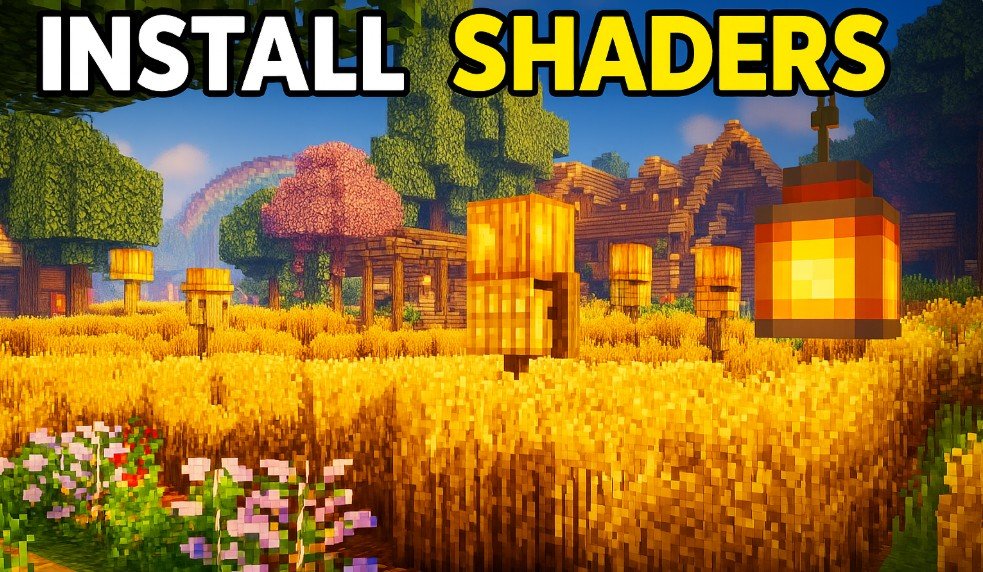
Shaders can dramatically improve Minecraft's visuals by adding realistic lighting, shadows, water reflections, and textures. If you're ready to give your blocky world a fresh, stunning look, here's a complete, up-to-date guide on how to install shaders in Minecraft, including everything you need to know about Optifine, recommended shaders, multiplayer compatibility, performance, and more.
How To Install Optifine (Java Edition)
To install shaders, you must first install Optifine, a Minecraft mod that enables shaders and offers powerful graphical options.
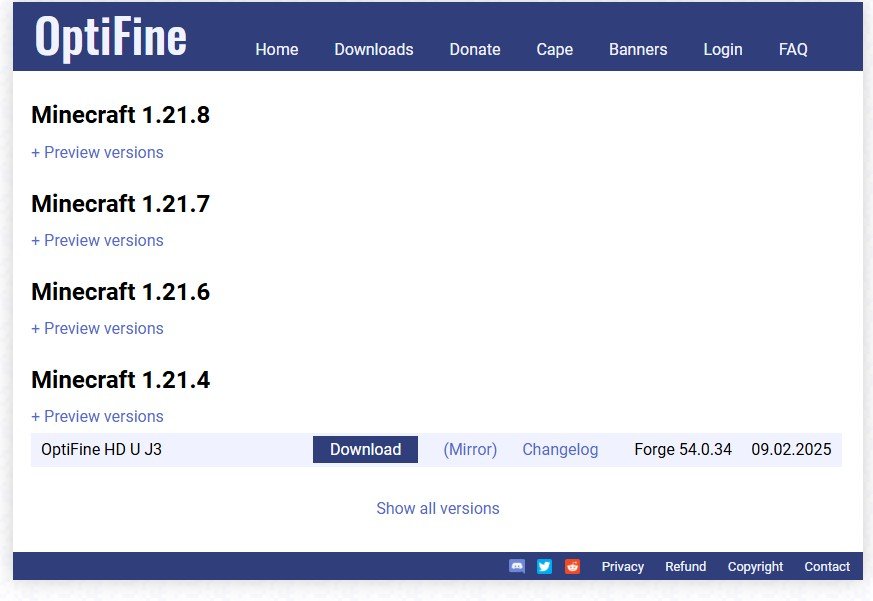
Steps:
- Install Java: Make sure Java is installed on your PC. You can download Java here.
- Download Optifine: Visit optifine.net and click on the 'Mirror' link for your Minecraft version.
- Install Optifine:
- Right-click the downloaded
.jarfile - Choose "Open with Java"
- Click Install
- Right-click the downloaded
- Launch with Optifine:
- Open your Minecraft Launcher
- Click the dropdown menu beside the Play button
- Select the version labeled "Optifine"
✅ You’re now ready to install shaders!
Where To Download Shaders
There are hundreds of shader packs out there. Always use trusted websites to avoid downloading malicious files.
Recommended Sites:
📁 Create a folder named "Shaders" on your desktop to store all downloads.
Before downloading, check shader compatibility with your Minecraft version and any mods you’re using.
Shaders We Recommend (Beginner Friendly)
| Shader | Style |
|---|---|
| BSL Shaders | Vibrant lighting, clean visuals |
| Sonic Ether’s Unbelievable Shaders (SEUS) | Realistic lighting and shadows |
| Nostalgia Shaders | Classic Minecraft feel with modern lighting |
| Sildur’s Vibrant Shaders | Colorful, well-optimized |
| Iris Shaders | Compatible with Fabric & Sodium |
| Rethinking Voxels | Voxel-based lighting, advanced |
| Cartoon Shaders | Stylized comic-style look |
How To Install Shaders (Java Edition)
- Open Minecraft with Optifine
- Go to Options > Video Settings > Shaders
- Click “Shaders Folder” (bottom left corner)
- Move your downloaded
.zipshader file into this folder - Return to Minecraft and select your shader pack from the list
🟢 Done! Your world should now look more cinematic and immersive.
Using Shaders On Multiplayer Servers
Shaders are client-side only, so:
- You can use them on any server without issues
- Other players won’t see your shaders unless they install the same shader pack
🎮 Perfect for content creators or players who want to experience enhanced visuals while still playing online.
Do Shaders Cause Lag?
Yes, some shader packs are intensive and may drop your FPS. But not all shaders are heavy.
Tips to Reduce Lag:
- Lower render distance
- Use lighter shaders like Nostalgia or Sildur's Lite
- Turn off "Smooth FPS" in Optifine
- Avoid areas with excessive lighting or large builds
How To Increase Shader Performance
- Tweak Optifine settings: Lower graphics, disable fancy leaves/clouds
- Close other programs to free up RAM/CPU
- Consider upgrading your GPU if your PC struggles
🔧 Even mid-range PCs can run shaders with proper settings.
Can You Install Shaders In Minecraft Bedrock Edition?
Console:
- ❌ Shaders are not supported on Xbox, PlayStation, or Switch
- ✅ You can use Marketplace texture packs, but not full shader packs
PC/Windows (Bedrock):
- You can install shaders, but the process is trickier
- Look for shader packs designed specifically for Bedrock
- Use sites like MCPEDL with caution
⚠️ Always check if the shader supports Bedrock before installing
Final Thoughts
Installing shaders is a fantastic way to breathe new life into Minecraft. Whether you're capturing screenshots, building cinematic projects, or just enjoying the sunset, shaders can totally transform your game.
✨ Just remember: Not all PCs can handle heavy shaders — start small and tweak as you go!
Related post:

Leave a Reply